View
Back to archive Project · SaaS · Live
● Live product UX Research UI Design Prototyping

AnchorWise — a survey platform built for the full lifecycle, from build to insight.

A SaaS tool that lets people create and publish surveys, collect and manage responses, and turn raw results into exportable insight. I led it end to end, research, persona, competitive analysis, UI, and a tokenised system, through to a shipped, live product.
RoleUI Design · UX Research · Prototyping
Year2023
TypeSaaS product
ToolsFigma · Miro · Canva
StatusShipped & live · anchorwisesurvey.com
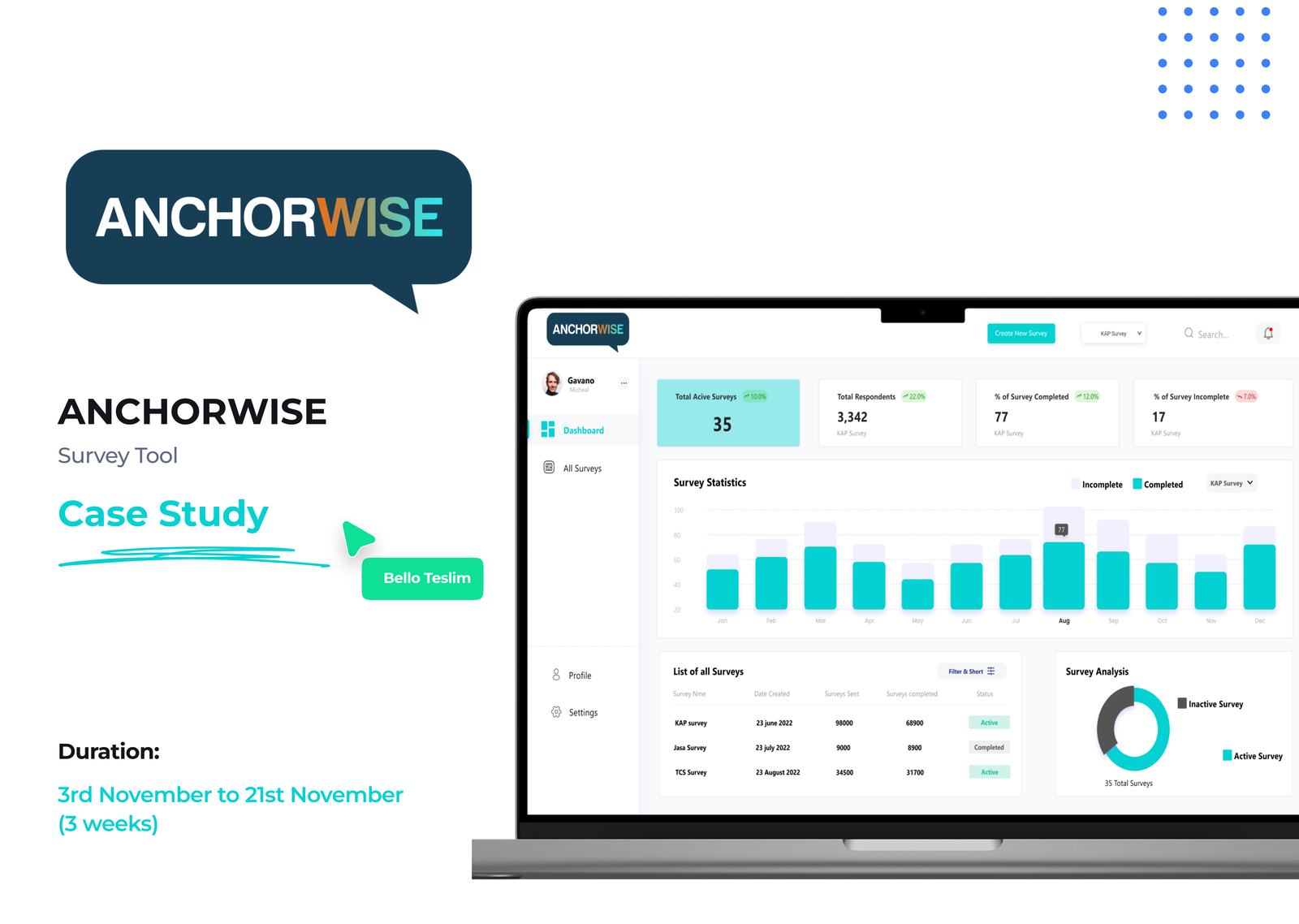
AnchorWise, survey platform dashboard

What AnchorWise is.

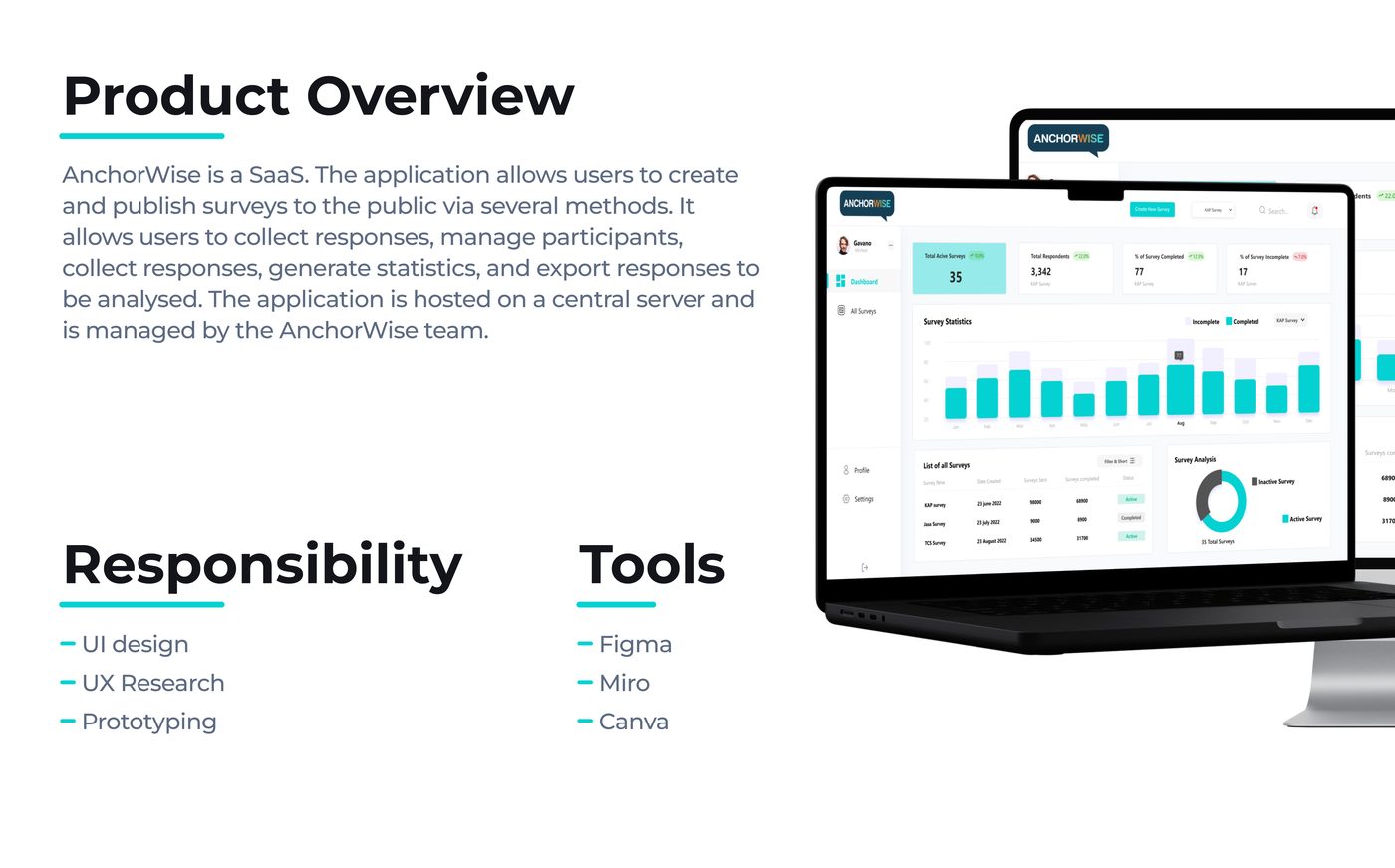
AnchorWise is a SaaS survey platform. It lets people build and publish surveys to the public through several channels, collect responses, manage participants, generate statistics, and export results for deeper analysis, all hosted centrally and run by the AnchorWise team.

I owned the experience end to end: UI design, UX research, and prototyping, working across Figma, Miro, and Canva.

AnchorWise dashboard across desktop and laptop
01 · The problem

Collecting good information shouldn't be this hard.

Historically, survey tools have made information-gathering disjointed and unnecessarily complex. The brief was a tool that's easy to use, secure, deeply customisable, and able to turn raw responses into insight worth acting on.

The solutions we shipped
02 · Audience

Who it's built for.

From people running a business to people running a study, AnchorWise had to work for a wide spread of technical confidence.

03 · Research

Understand the user, then study the field.

Research goals

Competitive analysis

I studied the leading tools to find the gaps worth winning on.

SurveyMonkey

Popular, feature-rich, with customisable templates, survey logic, and advanced reporting across free-to-enterprise pricing.

Strengths
  • Wide feature set & reporting
  • Flexible pricing tiers
Gaps
  • Limited customer support
  • Interface can be hard to navigate

Typeform

A modern, intuitive interface with customisable themes and logic, plus advanced reporting on free and paid plans.

Strengths
  • Beautiful, modern UI
  • Themes & conditional logic
Gaps
  • Limited integrations
  • No spreadsheet export

SoGoSurvey

A broad toolset, customisable templates, advanced reporting tools, and survey logic, across free-to-enterprise plans.

Strengths
  • Strong reporting tools
  • Wide feature set
Gaps
  • Limited customer support
  • Limited integrations
04 · The data

Talking to the people who actually run surveys.

Two user interviews plus a survey, most responses came from Google Forms shared across my Twitter and Reddit networks (42 respondents). I kept questions open-ended and conversational, so people felt at ease rather than led.

42
people interviewed & surveyed
70%
had created surveys before
70%
feel surveys take too long to create
60%
of surveys actually get responded to
50%
are satisfied with the options out there
20%
had never used an online survey tool
Key qualitative insights
05 · Who it's for

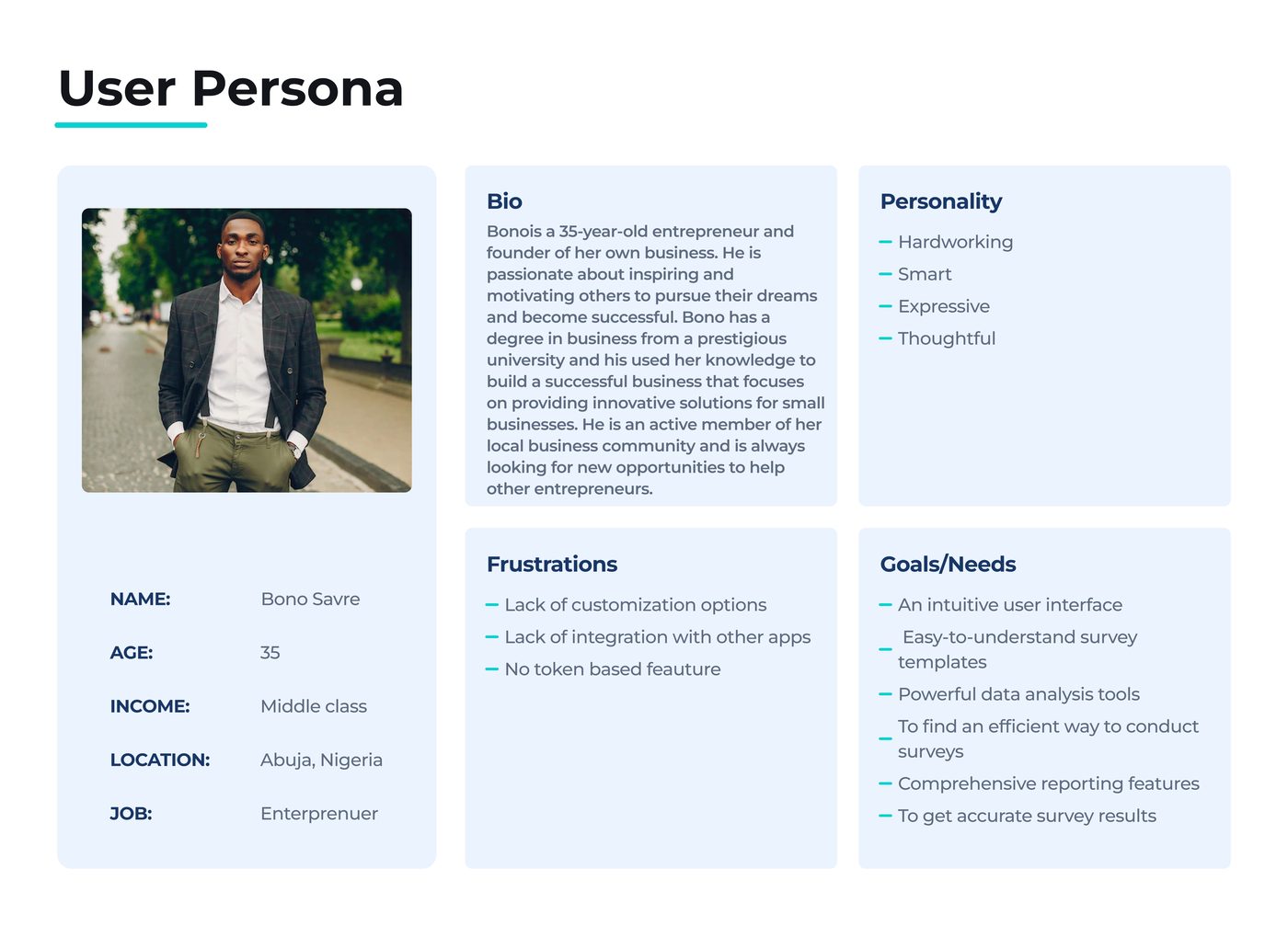
Meet Bono — the small-business owner who lives in surveys.

A 35-year-old entrepreneur in Abuja: hardworking, expressive, always hunting for an efficient way to understand his customers, frustrated by tools with no customisation, no integrations, and no token-based feature.

User persona, Bono Savre, entrepreneur
06 · Empathy

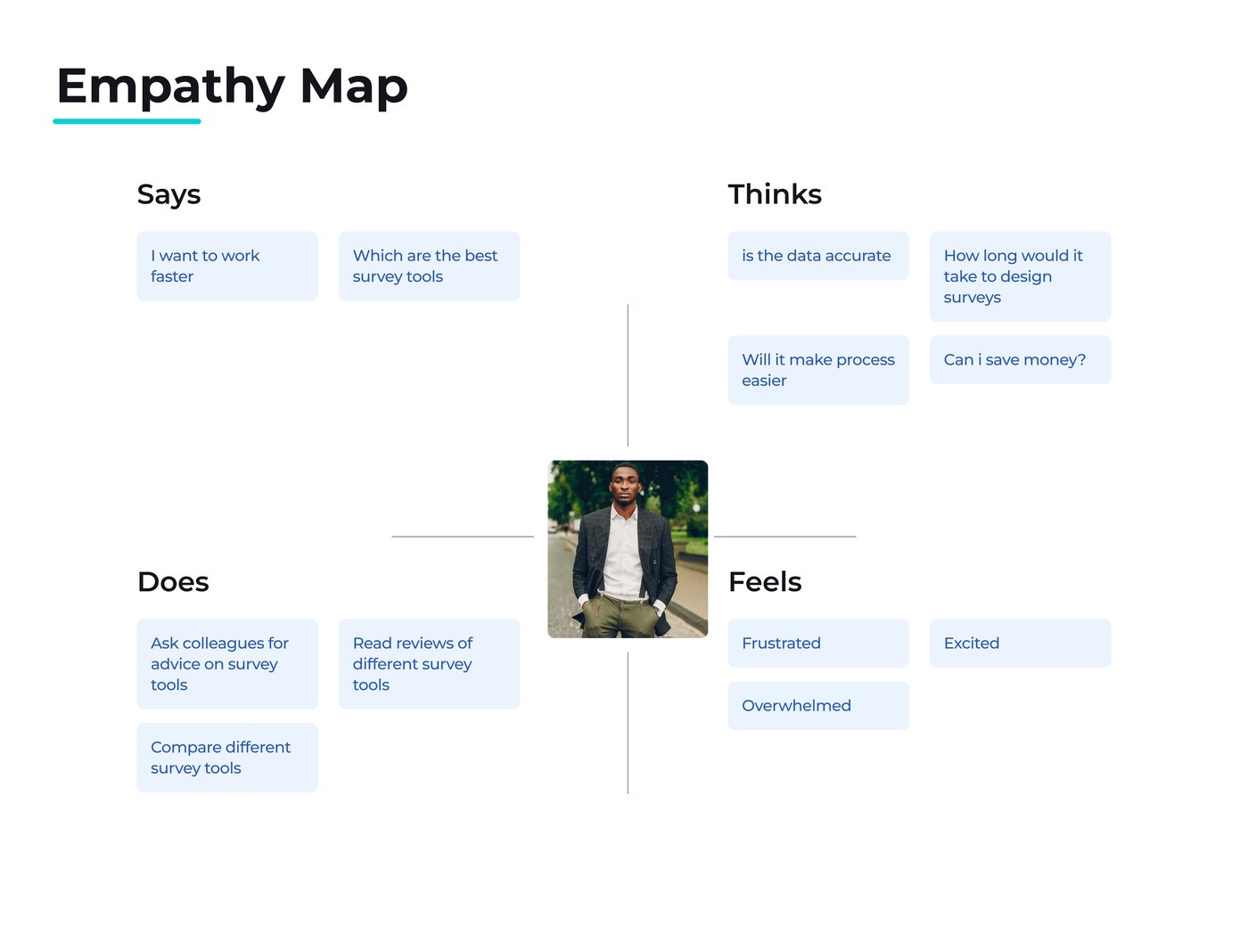
What they say, think, do, and feel.

AnchorWise empathy map
07 · Process

From understanding to testing.

01
Understand
Interviews, survey, and the real frustrations
02
Define
Persona, problem, and the must-have features
03
Ideate
Flows and low-fidelity wireframes
04
Design
High-fidelity UI and a tokenised system
05
Test
Validate with users, then iterate
08 · The screens

From wireframes to the shipped UI.

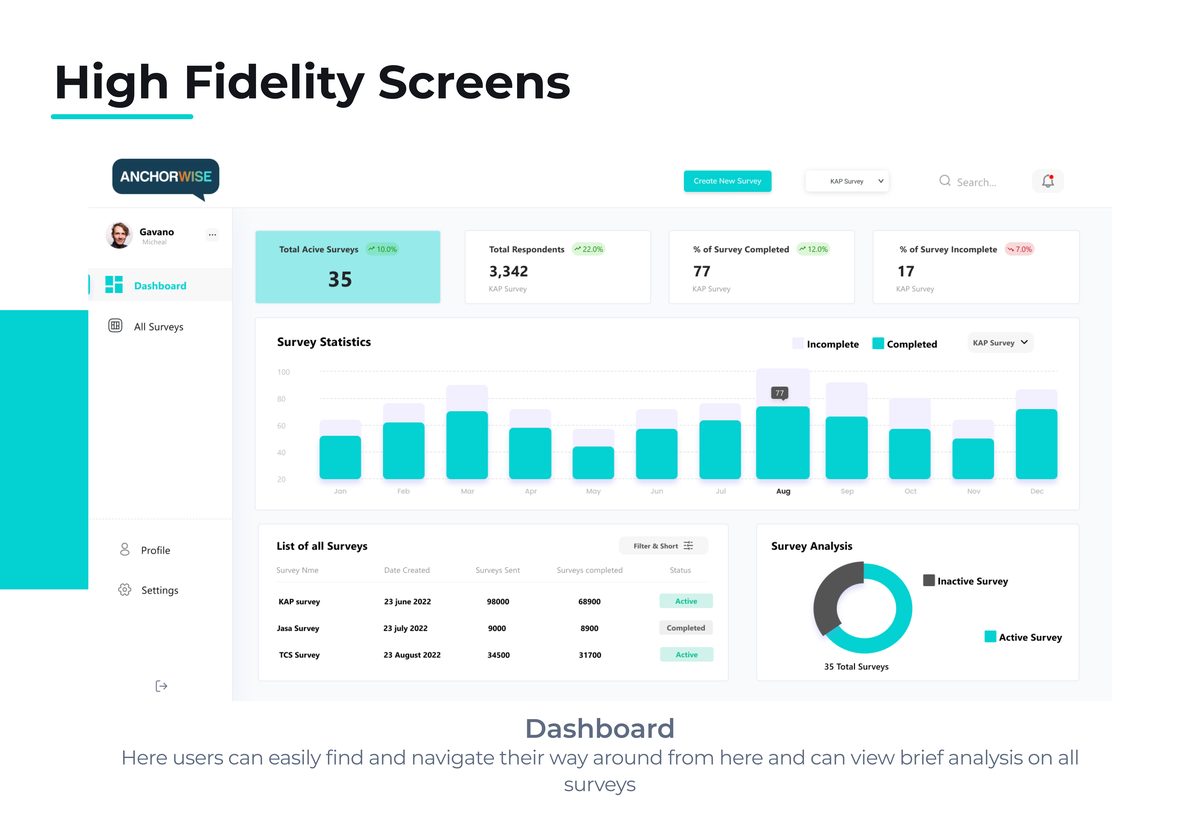
AnchorWise high-fidelity dashboard
High-fidelity · dashboard
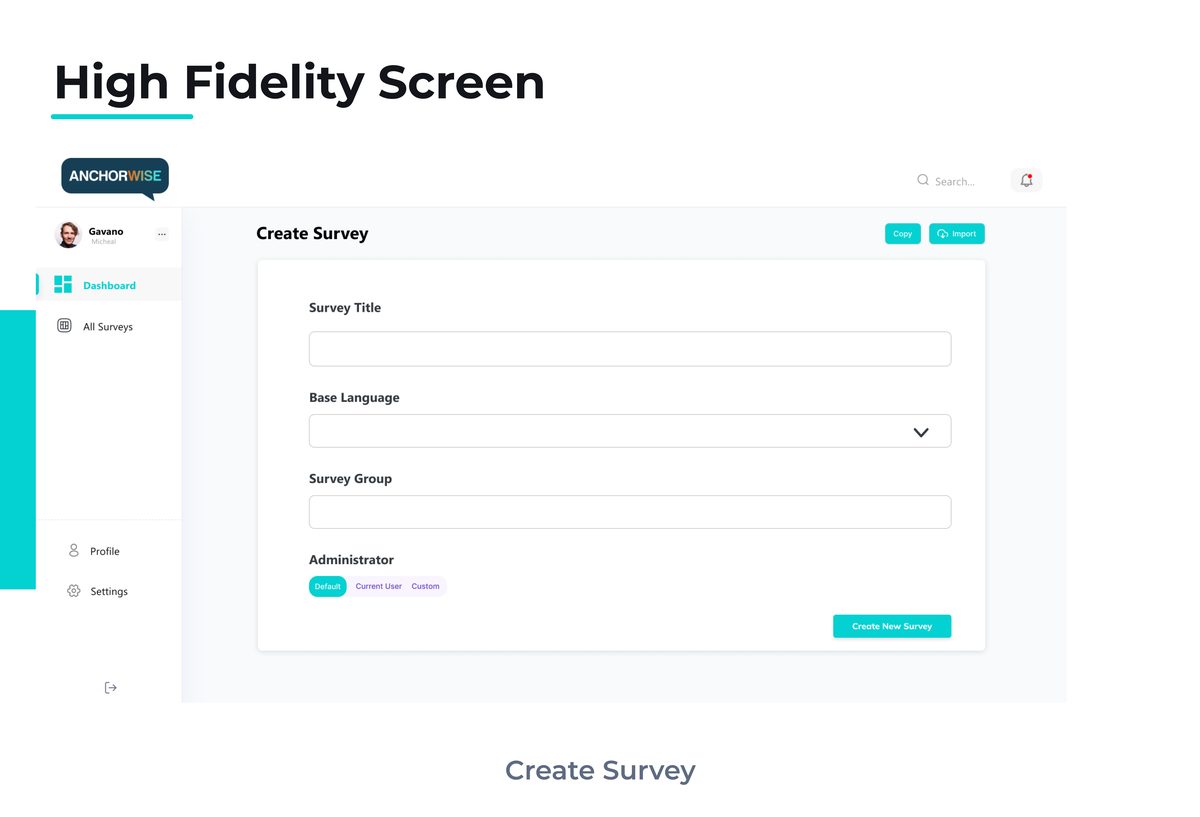
AnchorWise high-fidelity survey view
High-fidelity · survey view

More of the build

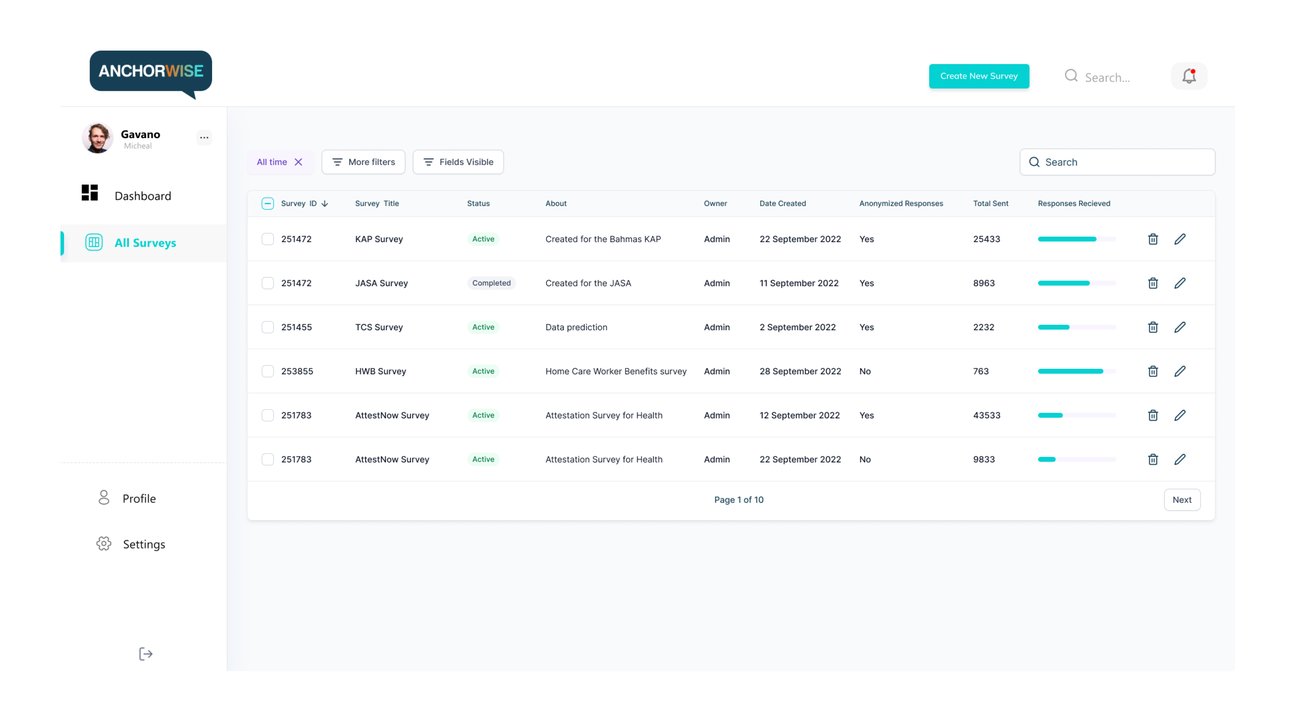
AnchorWise, all surveys list
Surveys list
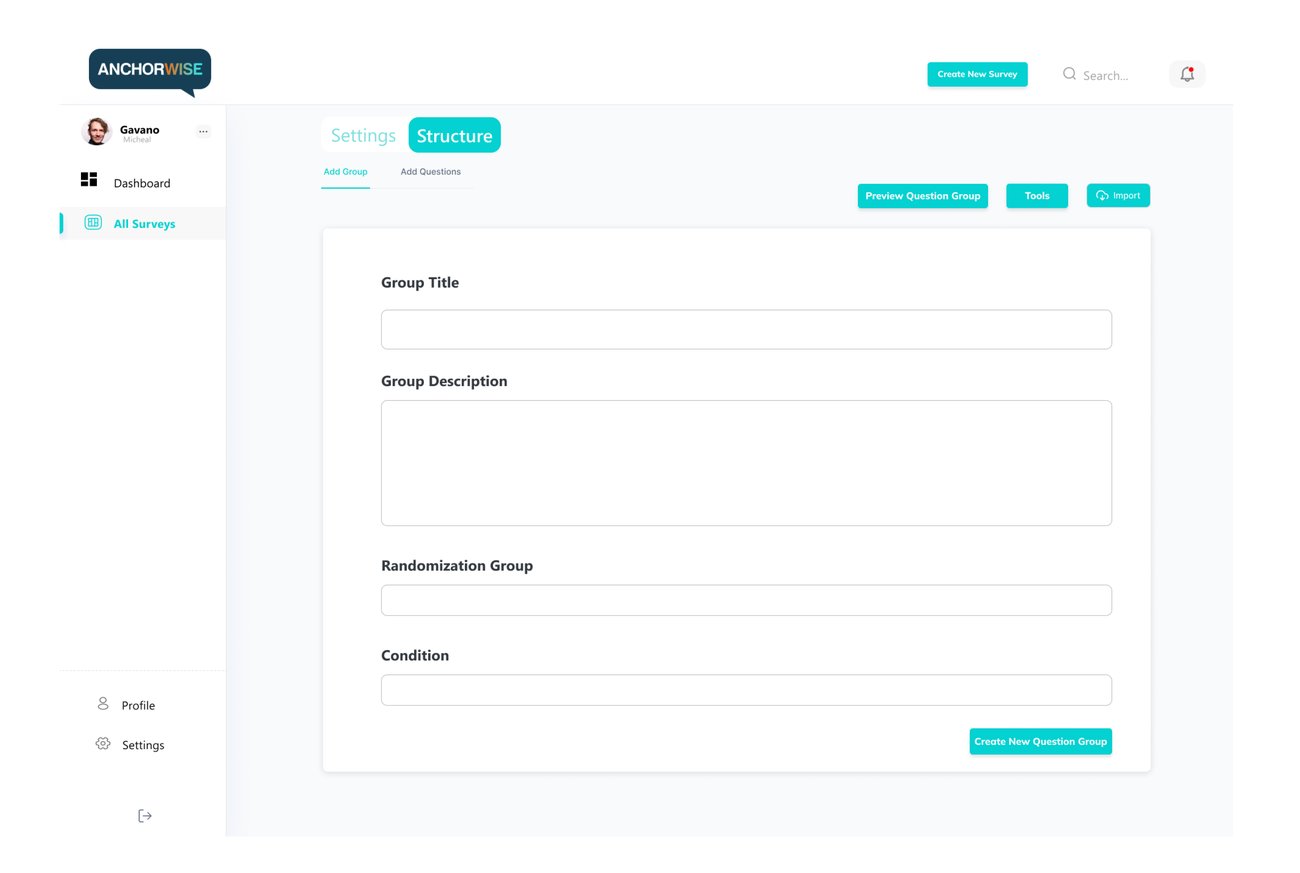
AnchorWise, question group builder
Question builder
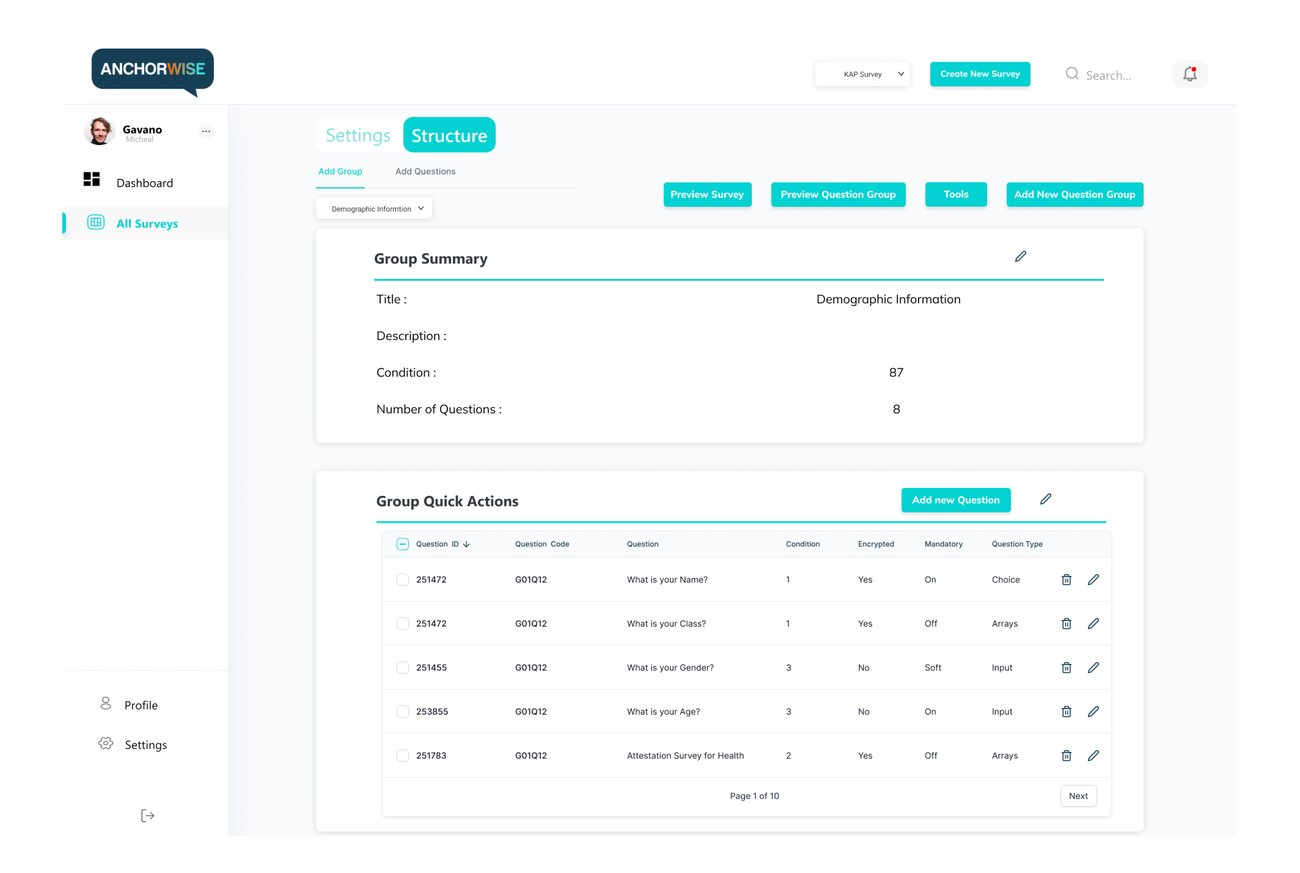
AnchorWise, group summary and quick actions
Group summary
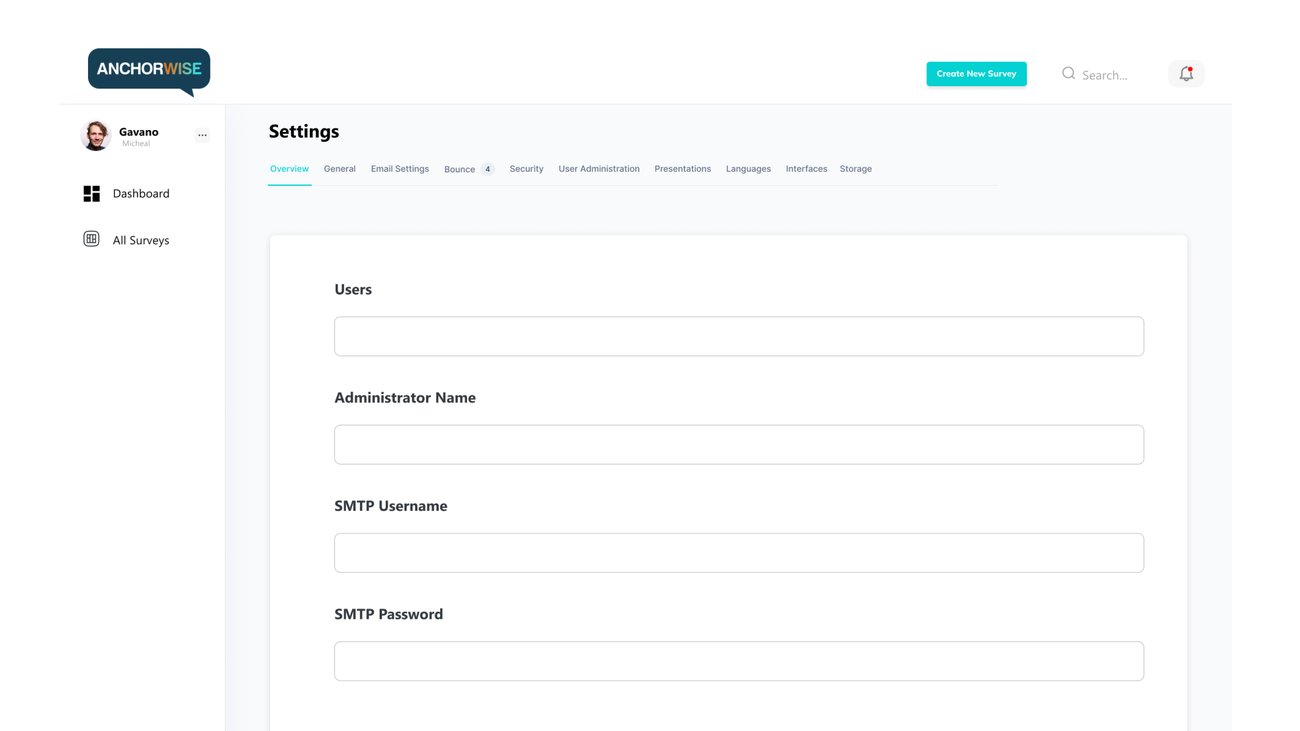
AnchorWise, settings, users and access
Settings · access
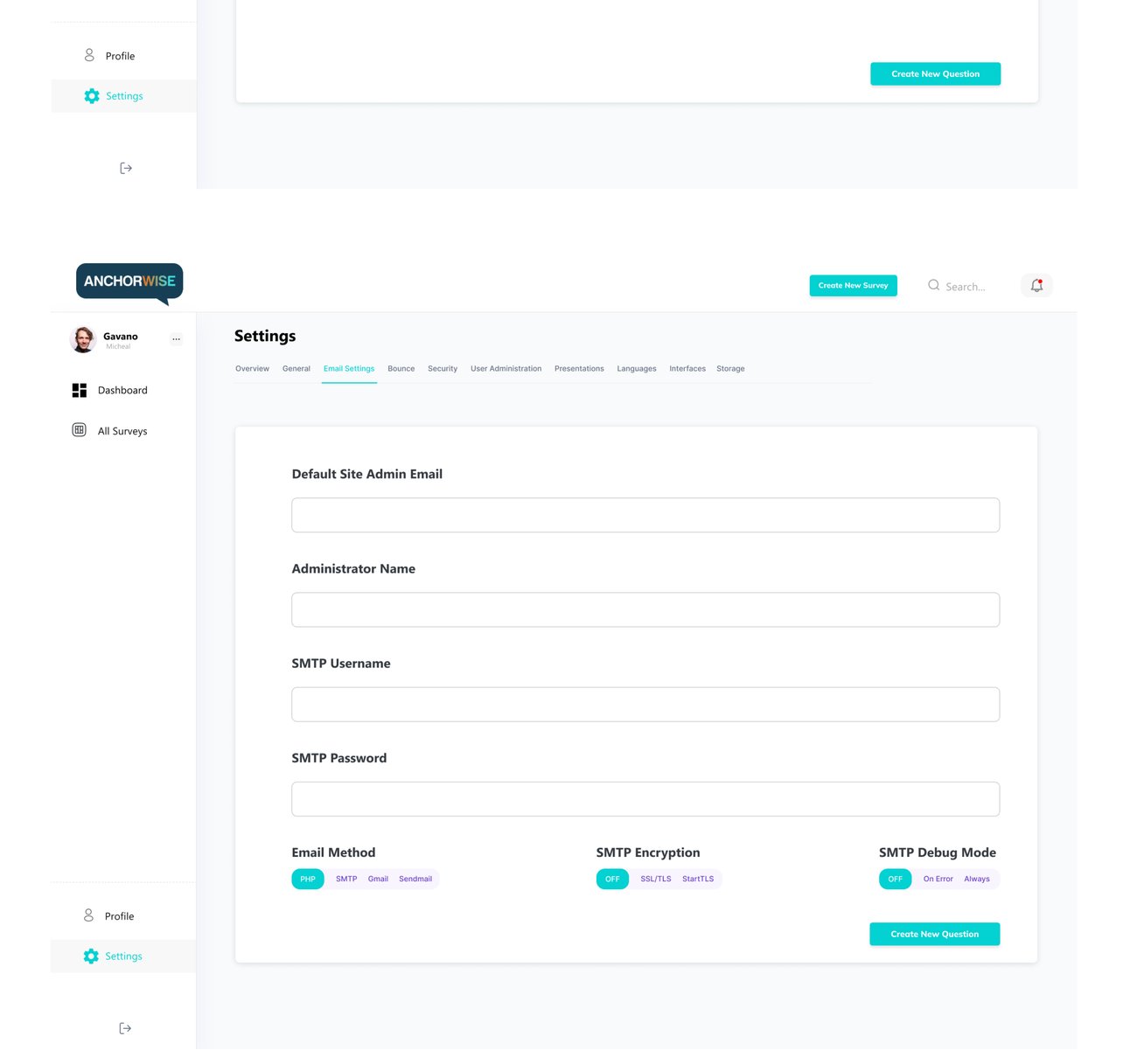
AnchorWise, email and SMTP settings
Email & SMTP
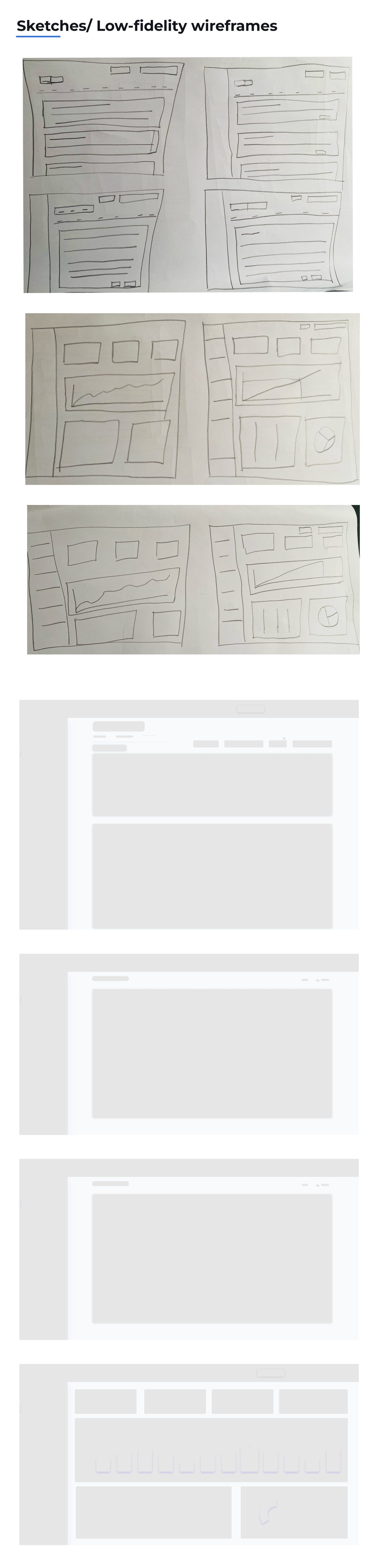
Low-fidelity wireframes
AnchorWise low-fidelity wireframes
09 · System

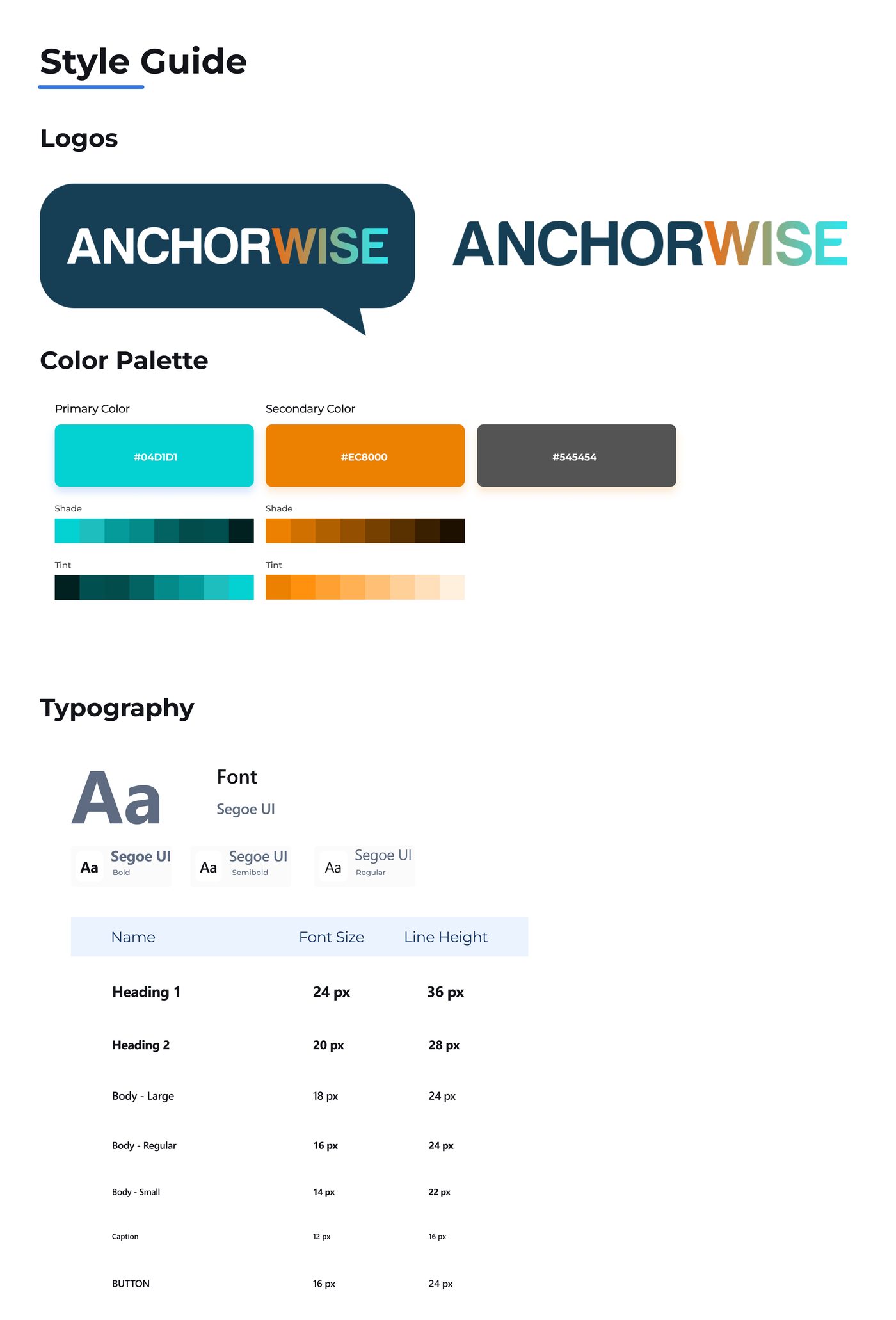
The style guide that kept it consistent.

AnchorWise style guide, colour, type, components
10 · Takeaways

What AnchorWise taught me.

  1. An intuitive, user-friendly interface is non-negotiable for a survey tool, the whole value is in lowering effort.
  2. Clear instructions and a mobile-friendly flow noticeably improve the experience for survey takers, not just creators.
  3. Gathering feedback and using it for iterative improvement is where the product actually got good.
  4. Design the entire journey, the start, middle, and end of a survey, not just the screens in isolation.
  5. Testing with a small group before launch surfaces the issues that matter while they're still cheap to fix.

Shipped & iterating , v1 launched in late October 2022; I've kept refining it from user-requested improvements. It's live today.

Try AnchorWise →